How it works
Zero-config sitemaps
Step 1
Add your pages
Create and manage SEO pages in the dashboard. Each page gets a path, metadata, and optional image.
Step 2
Configure settings
Set max URLs per sitemap (up to 5,000) and the folder path. Large sites get a sitemap index automatically.
Step 3
Served dynamically
Sitemaps are generated on request. Add or edit a page and it appears in the sitemap immediately.
Step 4
Discovered by crawlers
Sitemap URLs are auto-added to your robots.txt so search engines find them without extra setup.
In the dashboard
Sitemaps in Project Settings
Key capabilities
Everything you need
Auto-generated from your managed SEO pages
Configurable max URLs per sitemap (up to 5,000)
Sitemap index for large sites with multiple files
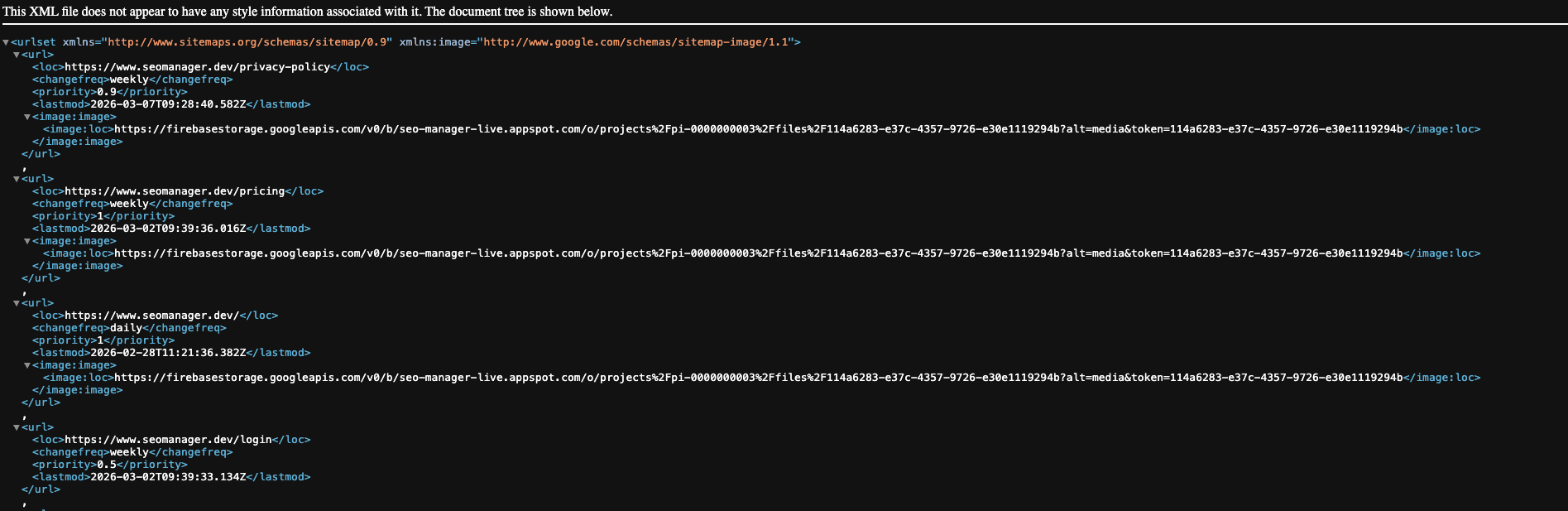
Includes changefreq, priority, and lastmod per URL
Image sitemap support for OG images
Records User-Agents to distinguish bots vs humans — see which bots and how often
Updates in real time as you add or edit pages
Example output
Standards-compliant XML
<url>
  <loc>https://yoursite.com/about</loc>
  <changefreq>weekly</changefreq>
  <priority>0.5</priority>
  <lastmod>2025-03-10T12:00:00.000Z</lastmod>
  <image:image>
    <image:loc>https://yoursite.com/og-about.jpg</image:loc>
  </image:image>
</url>
Explore